The short answer
- It never reads what's on a page, and never records what you type.
- It closes browser tabs, but never quits your apps. Distracting apps are tucked away, so you don't lose unsaved work.
- There are no ads, and we don't sell your information.
- When an AI checks a page, our server passes it on without your licence key or IP address, and doesn't keep it.
- Payments go through Stripe. We never see your card number.
- On Mac, every download is signed and notarized, so macOS checks it before it opens.
What Bisqit looks at
While it's running, every few seconds, Bisqit reads:
- the name of the app in front of you, and its window title
- in a browser, the current tab's address and title, and where its close button is, so the paw can hit it
- when you last used the keyboard or mouse: only the time, never which keys
That includes private and incognito windows. It doesn't read the page itself, what you type, or your files.
What leaves your computer
Well-known distractions, like TikTok, Instagram and YouTube Shorts, are on a built-in list, so judging them sends nothing. When something isn't on that list or yours and stays in front of you for a few seconds, Bisqit sends our server:
- the app's name
- the page's address, without anything after the "?"
- the page or window title, cut to 140 characters
- the line you wrote about what you do, the time sinks you picked, and the last few things it judged
Our server sends that on to an AI model, currently Google's Gemini through OpenRouter, which answers "focus", "neutral" or "drift". Each answer is remembered on your computer for 6 hours, so the same page isn't sent again in that time.
To be straight with you: this covers every app, private windows too, and titles can hold personal details, like the subject of an email or the name of a document. Bisqit shortens them but can't filter them. Pausing Bisqit stops the dog closing anything, but not the judging. To stop it completely, quit Bisqit.
The permissions it asks for
On Mac, Bisqit asks for two permissions in System Settings. Accessibility lets it find the tab's close button, so its paw lands on the right spot. Automation, which macOS asks about once for each browser, lets it read the tab's address and close the tab.
On Windows, it uses UI Automation, the same system screen readers use, which doesn't ask for a permission.
There's no browser extension, so nothing is added to your browser.
Installing it safely
On Mac, Bisqit is signed and notarized, which means Apple has checked it for malware. When you first open it, macOS says it was downloaded from the internet and asks if you want to open it.
On Windows, the installer isn't signed yet, so Windows may say it protected your PC. Click More info, then Run anyway. That warning goes away once Bisqit is in the Microsoft Store, which signs it.
Only download Bisqit from bisqit.app.
You're in charge of the dog
- Grab the dog before its paw lands and the tab stays open, with 70 more seconds.
- If it gets a page wrong, choose Not a drift and it leaves that page alone from then on.
- Snooze it, pause it, or set the hours it's on duty.
- A closed tab is easy to get back: press Ctrl+Shift+T, or Cmd+Shift+T on a Mac.
If you make your own dog
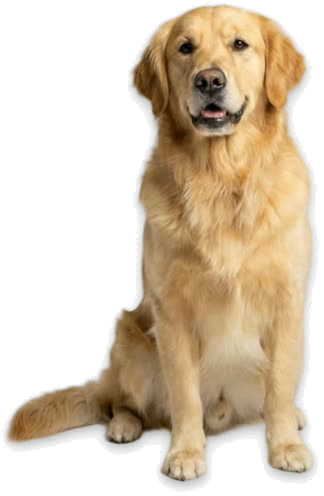
Choosing one of the ready-made dogs sends nothing. If you make a dog from a photo of your own, the photo goes to our server and on to the companies that make the pictures and clips. Anything else in the photo goes with it, so pick one that shows just your dog.
All the details
Our privacy policy covers everything Bisqit sends, who handles it and how long it's kept. Questions? Write to ask@dawnce.app.