Choose your dog
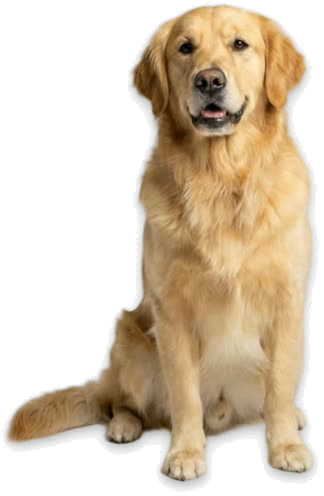
Pick one of four ready-made lifelike dogs, or make one from a photo of your own dog. If you'd rather have something cartoonish, there's a drawn white puppy too. You can switch between them later from the dog's menu.

What your dog does all day
- Goes by the name you give it.
- Wanders along the bottom of your screen, on top of your windows.
- Lies down for a nap when you click it, and gets up when you click again.
- Lets you pick it up and drop it anywhere you like.
- Keeps an eye on what you're doing, so you don't have to.
When you drift, it brings you back
Tell Bisqit what you do and which sites eat your time. While it's on duty, if you stay on a distraction for longer than your patience setting (a minute, unless you change it), your dog runs up to the tab and slaps it closed.
Grab it before its paw lands and the tab stays open, with 70 more seconds to finish up. Distracting apps, like games, are tucked away rather than quit, so you never lose unsaved work.
Questions
Does it work on Windows?
Yes. Bisqit runs on 64-bit Windows 10 or 11, and on macOS 13 or later, on Apple Silicon or Intel.
Do I need a browser extension?
No. Bisqit works with your browser as it is.
Is it free?
It's free to download and try: during setup, your dog closes a real YouTube tab in front of you. To keep it on your screen after that, you need a subscription. What's free and what isn't.
Is it safe?
Bisqit never reads what's on a page and never records what you type. Here's exactly what it sees and sends.